![[PAID] [ESX] CodeCollective Car System main image](https://forum-cfx-re.akamaized.net/optimized/4X/1/2/7/1274d2841bb6e324ce0fe84eb0018b35241d975f_2_690x388.jpeg)
![[PAID] [ESX] CodeCollective Car System thumbnail 2](https://forum-cfx-re.akamaized.net/optimized/4X/d/1/a/d1a89ff3d6d03e912d6248b9cfc78bb4938838cd_2_690x170.jpeg)
Price
Unknown
A script by CodeCollective
Price
Unknown
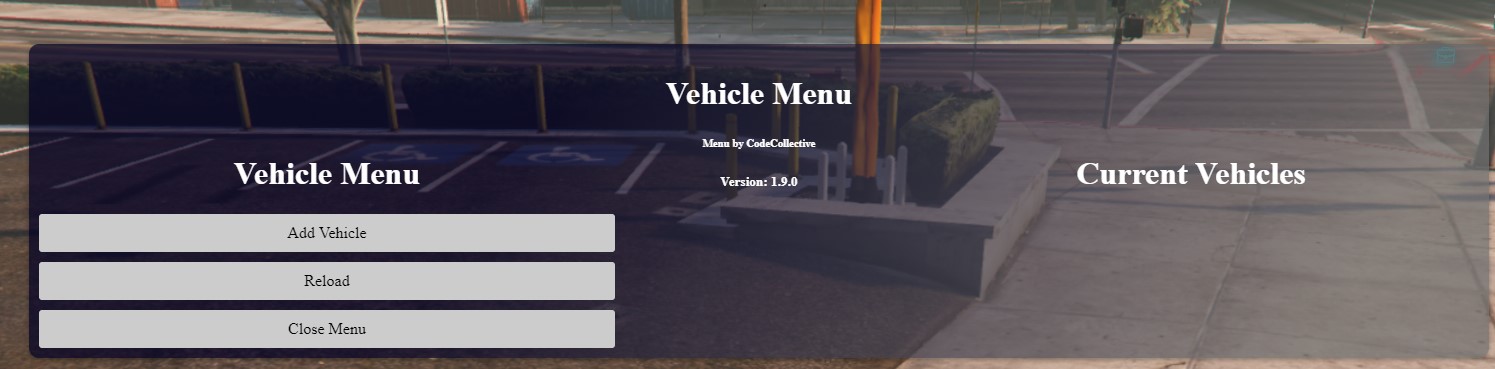
The Script offers the following features:
Import SQL in your Database
Import Script in your Ressource folder
Edit Config.lua
server.cfg
ensure CodeCollective_Car_System
(Don’t change the resource name, otherwise the script won’t work)
CONFIG
Config = {}

Config.DiscordWebhook = "" -- Your Discord Webhook for added Vehicles

Config.Discordthumbnail = "" -- Your Thumbnail Link

Config.Discordtitel = "" -- Your Titel from the Message

Config.Locale = 'en' -- The language locale for the messages displayed by the script.

Config.TimeOn = true -- Set to true to enable the vehicle rental duration timer, or false to disable it.

Config.Timer = 15 -- The duration of vehicle rental in seconds. This is only effective if Config.TimeOn is set to true.

Config.DeleteOnExit = true -- Set to true to automatically delete the rented vehicle when the player exits it. Set to false to keep the vehicle when the player exits.

Config.Leftkey = 174 -- The key code for the left indicator signal control.

Config.Rightkey = 175 -- The key code for the right indicator signal control.

Config.Bothkey = 173 -- The key code for activating both left and right indicators simultaneously.

Config.AdminGroups = {
    'admin',
    'superadmin'
} -- The list of group names that have admin access to /vehiclemenu open

Config.ShowHologramMessage = true -- Set to true to display a hologram message above the vehicle when renting it. Set to false to disable the hologram message.

Config.Key = 38 -- The control key code for entering a Rentvehicle. By default, it is set to 'E'. You can find other control key codes in the FiveM documentation.

Config.MoneyError = "No Money" -- The error message displayed when the player does not have enough money to rent a vehicle.

Config.Joberror = "You don't have permission for this Car" -- The error message displayed when the player does not have permission to rent a specific vehicle based on their job.

Config.Platenumbers = "Enter your Plate" -- Message for Plate Menu

Config.maxPlatenumbers = 8 -- The number of letters in the license plate.

Config.BuySuccess = "We sent your Car to your Garage" -- The success message displayed when the player successfully purchases a vehicle.

Config.BuyError = "You don't have enough Money" -- The error message displayed when the player does not have enough money to purchase a vehicle.

----------------------------------------------------------------
Config.UseKey = true -- Set true if you want to use a Hotkey
Config.ToggleKey = 244 -- M (https://docs.fivem.net/docs/game-references/controls/)
Config.UseCommand = false -- Set true if you want to use a Command
Config.Commad = 'engine'

-- !!! This function is clientside AND serverside !!!
local ESX = exports['es_extended']:getSharedObject()
Config.Notification = function(source, message)
    if IsDuplicityVersion() then -- serverside
        TriggerClientEvent('esx:showNotification', source, message)
    else -- clientside
        ESX.ShowNotification(message)
    end
end


																	--██╗   ██╗███████╗██╗  ██╗██╗ ██████╗██╗     ███████╗███████╗--
																	--██║   ██║██╔════╝██║  ██║██║██╔════╝██║     ██╔════╝██╔════╝--
																	--██║   ██║█████╗  ███████║██║██║     ██║     █████╗  ███████╗--
																	--╚██╗ ██╔╝██╔══╝  ██╔══██║██║██║     ██║     ██╔══╝  ╚════██║--
																	-- ╚████╔╝ ███████╗██║  ██║██║╚██████╗███████╗███████╗███████║--
																	--  ╚═══╝  ╚══════╝╚═╝  ╚═╝╚═╝ ╚═════╝╚══════╝╚══════╝╚══════╝--


Config.JobVehicles = {
}


--Example Config

	--[[{
    model = "aventador", -- The model name of the vehicle.
    color_secondary = 1, -- The secondary color index for the vehicle.
    plate = "RENT", -- The license plate text for the vehicle.
    job = "", -- The job name required to access this vehicle. Leave it empty if no job restriction.
    location = "Hotel", -- The location where the vehicle is available.
    preview_heading = 63.015895843506, -- The heading angle for the vehicle preview.
    preview_z = 41.061878204346, -- The Z-coordinate for the vehicle preview position.
    spawnHeading = 63.015895843506, -- The heading angle for the vehicle spawn.
    livery = 1, -- The livery index for the vehicle.
    isVehicle = "Rent", -- The type of vehicle. In this case, it is "Rent".
    spawnCoords = vec3(257.9264, -623.784, 41.550), -- The spawn coordinates for the vehicle.
    preview_y = -626.76080322266, -- The Y-coordinate for the vehicle preview position.
    colors = 40, -- The color index for the vehicle.
    message = "Press E to rent. Price: $1500", -- The message displayed when interacting with the vehicle.
    extras = 1, -- The extra index for the vehicle.
    distance = 3, -- The distance in which the player needs to be near the vehicle to rent it.
    successmessage = "You have rented a car for $1500", -- The success message displayed when the player successfully rents the vehicle.
    id = 2, -- The unique ID for the vehicle.
    preview_x = 262.95794677734, -- The X-coordinate for the vehicle preview position.
    price = 1500, -- The rental price for the vehicle.
	},]]--
Purchase link:
Tebex (25€)
The Script is protected with Asset Escrow System
| Code is accessible | No (Asset Escrow System) |
| Subscription-based | No |
| Lines (approximately) | ~3500 |
| Requirements | Es_Extended, MySQL |
| Support | Yes |
See what others are saying about this script.
Share your experience and help others.
