![[PAID] [ESX] Vehiclemarket | MK-Services main image](https://forum-cfx-re.akamaized.net/optimized/4X/e/b/5/eb54908e4cf86923d6a2fcd6c08bf7df30fc5a4f_2_690x388.jpeg)
![[PAID] [ESX] Vehiclemarket | MK-Services thumbnail 2](https://forum-cfx-re.akamaized.net/optimized/4X/b/5/0/b50aa4ad198369cabccbcd0cc6f6157a79665d72_2_690x388.jpeg)
![[PAID] [ESX] Vehiclemarket | MK-Services thumbnail 3](https://forum-cfx-re.akamaized.net/optimized/4X/4/b/3/4b3119b4424db46bcbd2c250ae0b7c34e4572616_2_690x388.jpeg)
![[PAID] [ESX] Vehiclemarket | MK-Services thumbnail 4](https://forum-cfx-re.akamaized.net/optimized/4X/1/c/1/1c1f98b35835a532870625d5a0404e68f38b95cf_2_690x388.jpeg)
Price
Unknown
A script by Pain1435
Price
Unknown
This resource is compatible with ESX v1.1 / ESX 1.2 (v1 Final) / ESX Legacy (v1.3 - v1.9.5)/ Extendedmode.
This is an advanced vehicle market trading. Provide easy and fast car trading for all car collectors.
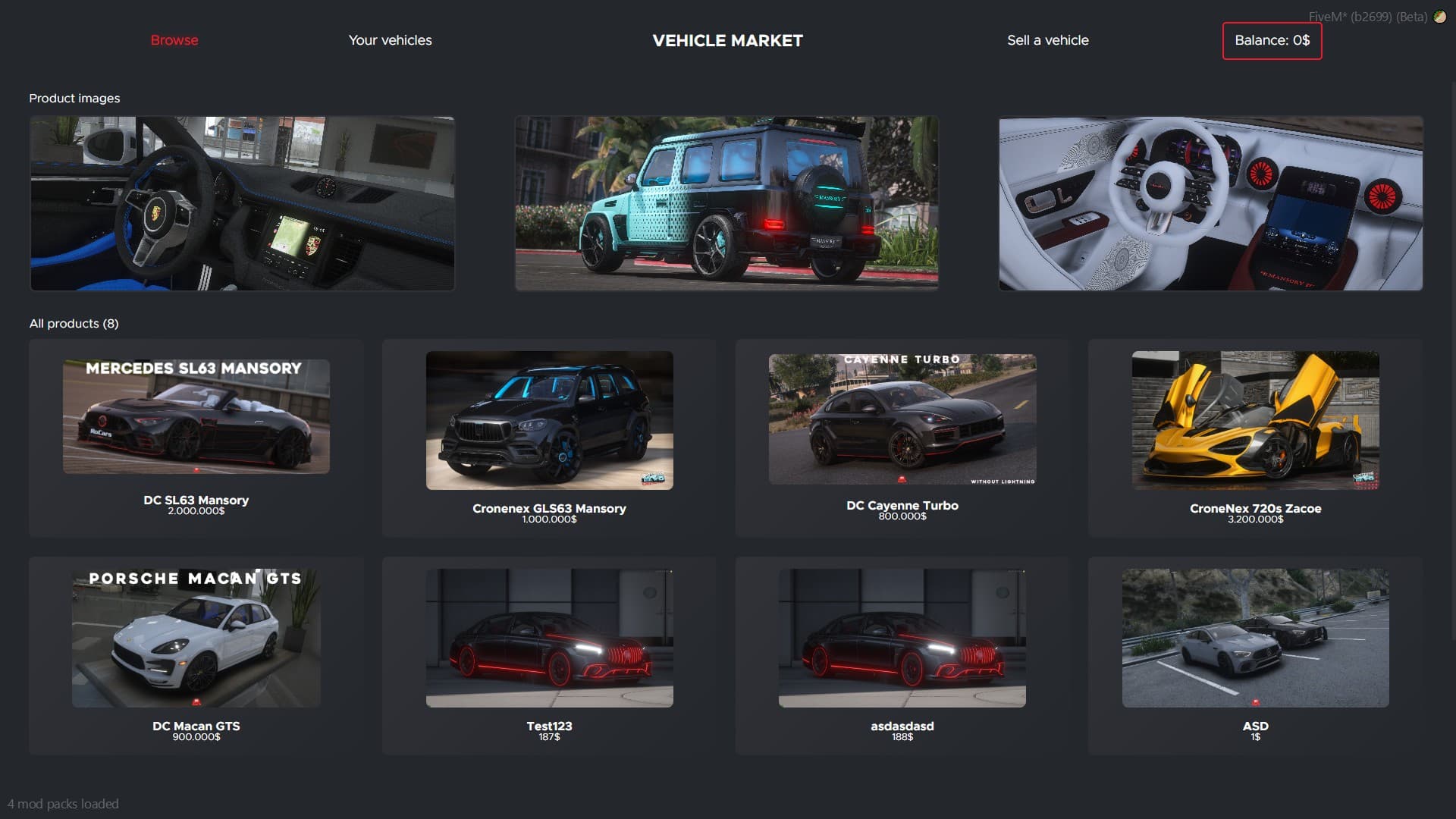
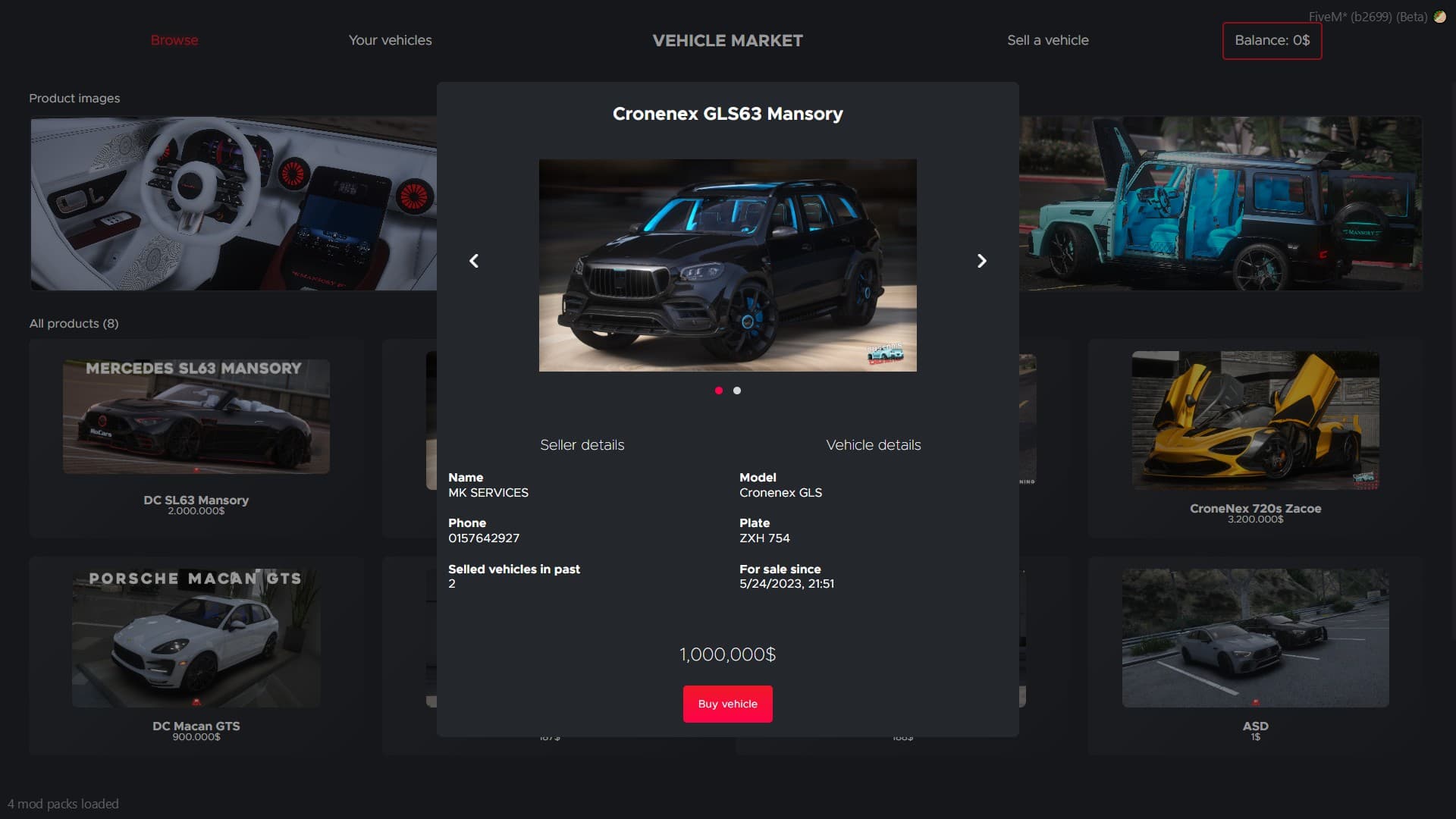

Showcase: Click me
Buy on Tebex: Click me (Secured by FiveM Escrow System)
Config Snippets:
MK = MK or {}
MK.Functions = MK.Functions or {}

-- By default 'en' and 'de' are supported.
-- You can modify or add new translations in the translations.lua file
MK.Language = 'en'

-- Using for debug reasons
MK.DebugMode = true

-- If you are using ESX 1.9 or above enable this
MK.UseNewESX = false
MK.ESXResourceName = 'es_extended'

-- Don't change this if you don't know what you are doing!
-- Misconfiguration can make your resource unusable
MK.ESXEvents = {
    SharedObject = 'esx:getSharedObject',
    PlayerLoaded = 'esx:playerLoaded'
}

MK.MarketLocations = {
    {
        Position = { x = -833.1333, y = -2347.52, z = 14.570618, h = 260.06378 },
        Blip = {
            Enabled = true,
            Sprite = 52,
            Color = 5,
            Size = 0.8,
            Label = 'Vehicle Market'
        },
        Marker = {
            Enabled = false,
            Type = 1,
            Size = { x = 6.0, y = 6.0, z = 0.5 },
            Color = { r = 255, g = 255, b = 255 }
        },
        Ped = {
            Enabled = true,
            Ped = 'cs_movpremmale'
        },
        Target = {
            UseTarget = false -- Requires ped to be enabled (see MK.Functions.HandleTarget below)
        }
    }
}

MK.MarketCommand = {
    Enabled = true,
    Command = 'market'
}

-- This gives you the oportunity to open the vehicle market with a hotkey
-- Following you will find a list of possible default keys: https://docs.fivem.net/docs/game-references/input-mapper-parameter-ids/keyboard
MK.MarketHotkey = {
    Enabled = false,
    Description = 'Open vehicle market',
    DefaultKey = '', -- Use a default key like "F4" or leave it blank if you don't wish to set a default key
}

-- Account to use for buying products
-- Possible by default: money, bank, black_money
MK.Account = 'bank'

-- Account to use for withdrawing player balance
-- Possible by default: money, bank, black_money
MK.WithdrawAccount = 'bank'

-- This prefix will be set in front of your identifier in owned_vehicles when product is being sold
-- Don't change that after first use of the script!
MK.IdentifierPrefix = 'market'

-- Here you can place your own notify event
-- Following notify types are used: success, warning, error, info
MK.Notify = function(type, message)
    if type == 'success' then
        TriggerEvent('esx:showNotification', message)
    elseif type == 'warning' then
        TriggerEvent('esx:showNotification', message)
    elseif type == 'error' then
        TriggerEvent('esx:showNotification', message)
    elseif type == 'info' then
        TriggerEvent('esx:showNotification', message)
    end
end

-- Here you can use your own help notification
-- Default is the builtin ESX help notify
MK.Functions.ShowHelpNotification = function(message)
    ESX.ShowHelpNotification(message)
end

-- Here you can edit your ox_target settings
MK.Functions.HandleTarget = function(entity)
    exports.ox_target:addLocalEntity(ent, {{
        name = 'mk_vehiclemarket',
        event = 'mk_vehiclemarket:client:openNUI',
        icon = 'fa-solid fa-basket-shopping',
        label = 'Open vehicle market',
        canInteract = function(entity, distance, coords, name, bone)
            return distance < 2
        end
    }})
end
| Code is accessible | No |
| Subscription-based | No |
| Lines (approximately) | LUA: ~1200 UI: ~1100 |
| Support | Yes |
See what others are saying about this script.
Share your experience and help others.
