

Price
Unknown
A script by LondonStudios
Price
Unknown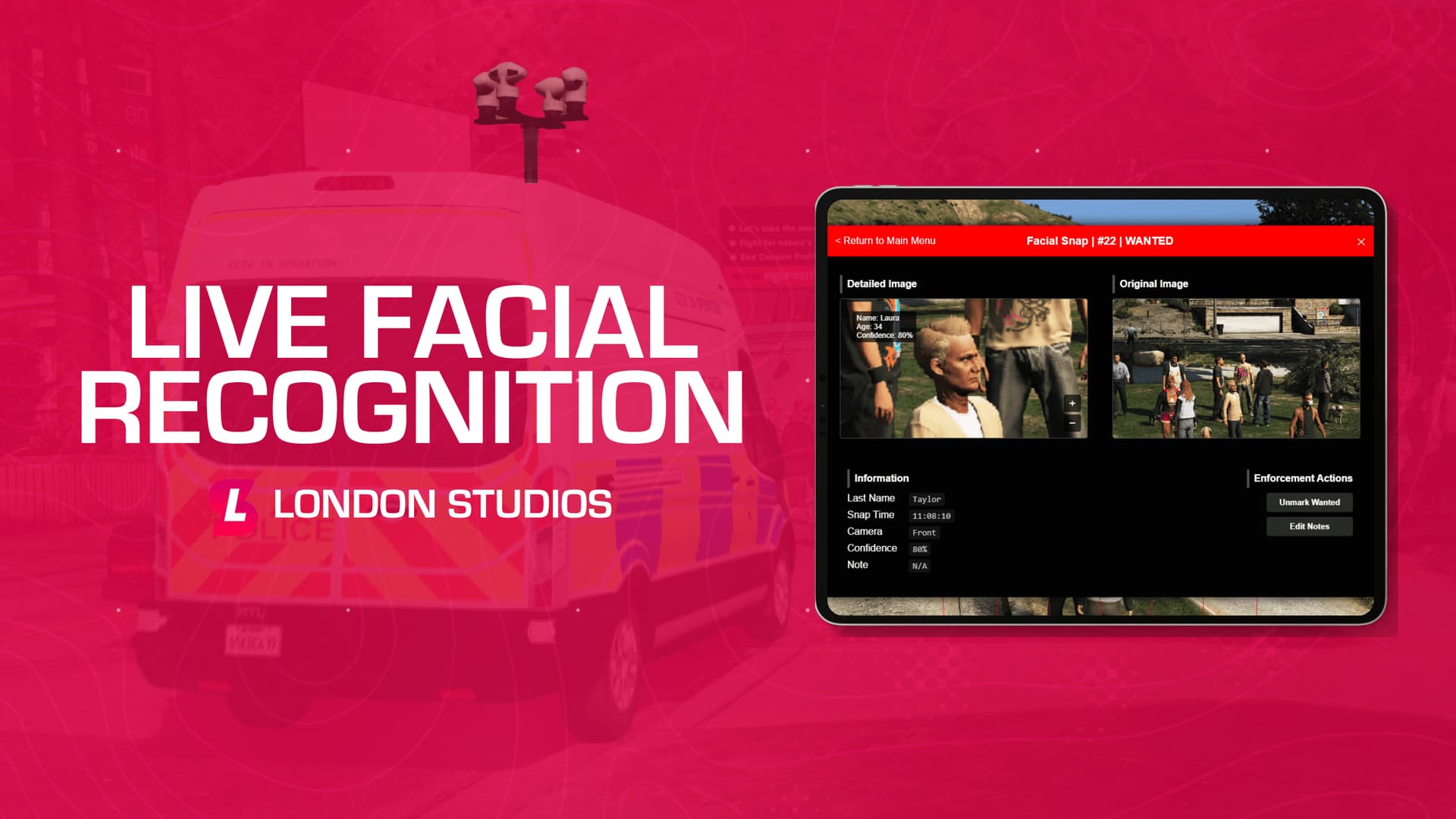
Start monitoring speed from anywhere with our Speed Camera Van, allowing your police department to bring speeding under control on your road network. Operators can either control the camera manually or automatically, issuing fines from a menu at the press of a button
Join our Discord server here to stay up to date with new resources, exclusive previews and updates!
To purchase the resource, head to our Tebex store here.
Manual / Automatic Mode - Easily switch between manual mode and
automatic mode, allowing you to either identify targets to capture
with a red line, or have the system automatically capture anyone
within the frame - displaying any results on screen instantly.
Capture View Menu - Within the included menu, you can easily view all
captures on your current client, including a detailed and original
image with information about the player.
Wanted Status - Easily mark a player as wanted and they will
continue to flag as wanted on all cameras setup until their wanted
status has been removed - stored locally on their client.
Notes - Easily add notes about specific players, such as their
movements and intentions to support crime reduction.
Framework Support - Our built in framework support for ESX, QBCore,
QBX and vRP allows you to draw the full names of players from your
framework database, integrating with the Live Facial Recognition
system and providing the true identity of pedestrians.
British / American Livery - The van includes two liveries, supporting
British and American LSPD modes - allowing you to fit in with your
server environment.
Permission Support - We’ve added permission support for Ace
Permissions, QBCore, ESX, vRP and QBX straight out of the box.
NPC Support - The resource has support for NPC’s to enhance roleplay,
generating a name and age for them as they pass by the camera van.
Screen Capture Integration - We’ve added support for Screen Capture,
a much more stable version of Screenshot Basic, which is used to
capture images of pedestrians.
Custom Van Model - We have a custom Live Facial Recognition van model
included within the resource, with an ELS and Non-ELS version
included - both with working emergency lighting.
Persistent Storage - Snaps are stored locally on your client, meaning
they will remain cached there even after you leave and re-join the
server with KVP storage - no database required.
This resource can be tested before purchasing on our test server. To connect to our test server, press here . Spawn in the livefacialrecognition model using vMenu (press M to open). Next, follow our documentation for instructions on how to use the van here.
This resource uses the FiveM Tebex Escrow system found here along with all of our other resources. Our documentation website has information on how to download and update resources from this system.
London Studios are committed to ensuring high standard support is offered to all customers who have purchased this resource. Our support team will do our best to assist you, however in some circumstances we will be unable to assist, such as integrating it with a framework our support team may not be familiar.
We will respond to messages on the forum with requests for support, or through our panel here.
Take a look at some screenshots of the resource in action!
| Code is accessible | Partial |
| Subscription-based | No |
| Lines (approximately) | 3000 |
| Requirements | None |
| Support | Yes - here or via FiveM forum |
See what others are saying about this script.
Share your experience and help others.
