![[PAID] AP5-Crosshair | Crosshair Creator System Script | [STANDALONE, QBCore / ESX / QBOX] main image](https://forum-cfx-re.akamaized.net/optimized/5X/8/c/d/b/8cdbf893c73708ec9fc1dd48b6e0d9197d5bda59_2_690x388.jpeg)
![[PAID] AP5-Crosshair | Crosshair Creator System Script | [STANDALONE, QBCore / ESX / QBOX] thumbnail 2](https://forum-cfx-re.akamaized.net/optimized/5X/3/2/1/d/321d8870b42feb5f2a4b6c211c122055c78b495c_2_654x500.png)
![[PAID] AP5-Crosshair | Crosshair Creator System Script | [STANDALONE, QBCore / ESX / QBOX] thumbnail 3](https://forum-cfx-re.akamaized.net/optimized/5X/6/1/4/6/6146459b5d0502154c1fa4282f2bd83d558c6e4c_2_690x387.jpeg)
![[PAID] AP5-Crosshair | Crosshair Creator System Script | [STANDALONE, QBCore / ESX / QBOX] thumbnail 4](https://forum-cfx-re.akamaized.net/original/5X/3/7/8/3/37830aae7ea1962b01f2ed7e3f9fadcfac7655e9.jpeg)
![[PAID] AP5-Crosshair | Crosshair Creator System Script | [STANDALONE, QBCore / ESX / QBOX] thumbnail 5](https://forum-cfx-re.akamaized.net/original/5X/4/7/2/2/47221bc2db024cf17f5726d39174a35cddde272f.jpeg)
![[PAID] AP5-Crosshair | Crosshair Creator System Script | [STANDALONE, QBCore / ESX / QBOX] thumbnail 6](https://forum-cfx-re.akamaized.net/original/5X/b/c/e/4/bce4c094342a41f3da2d814a27d86e41d40ae264.jpeg)
![[PAID] AP5-Crosshair | Crosshair Creator System Script | [STANDALONE, QBCore / ESX / QBOX] thumbnail 7](https://forum-cfx-re.akamaized.net/original/5X/a/8/8/7/a8874bc91ef8c308d83ea2767bee19dbc6bedd54.jpeg)
![[PAID] AP5-Crosshair | Crosshair Creator System Script | [STANDALONE, QBCore / ESX / QBOX] thumbnail 8](https://forum-cfx-re.akamaized.net/original/5X/b/8/2/9/b829aaa30ce820cf0d1527d62c602b180f05ce68.jpeg)
![[PAID] AP5-Crosshair | Crosshair Creator System Script | [STANDALONE, QBCore / ESX / QBOX] thumbnail 9](https://forum-cfx-re.akamaized.net/original/5X/4/5/2/4/4524842a2f535a1ea3dbc916034ad8052268f088.jpeg)
![[PAID] AP5-Crosshair | Crosshair Creator System Script | [STANDALONE, QBCore / ESX / QBOX] thumbnail 10](https://forum-cfx-re.akamaized.net/original/5X/3/d/c/4/3dc462871cd3004aeb2a78644dd96c902958d08c.jpeg)
![[PAID] AP5-Crosshair | Crosshair Creator System Script | [STANDALONE, QBCore / ESX / QBOX] thumbnail 11](https://forum-cfx-re.akamaized.net/original/5X/8/8/a/4/88a403404b60a86938a39e049627823ae563bca9.jpeg)
![[PAID] AP5-Crosshair | Crosshair Creator System Script | [STANDALONE, QBCore / ESX / QBOX] thumbnail 12](https://forum-cfx-re.akamaized.net/original/5X/c/a/c/9/cac960084cfb26a408916d106f7412360957c7ea.jpeg)
![[PAID] AP5-Crosshair | Crosshair Creator System Script | [STANDALONE, QBCore / ESX / QBOX] thumbnail 13](https://forum-cfx-re.akamaized.net/original/5X/7/1/f/2/71f27f98c19bbc6dbd4b0d2c014aeb17e2daf0d3.jpeg)
![[PAID] AP5-Crosshair | Crosshair Creator System Script | [STANDALONE, QBCore / ESX / QBOX] thumbnail 14](https://forum-cfx-re.akamaized.net/original/5X/4/f/b/c/4fbcbbfdf9fd0d01bbf614315c3d4cfadaede9cc.jpeg)
![[PAID] AP5-Crosshair | Crosshair Creator System Script | [STANDALONE, QBCore / ESX / QBOX] thumbnail 15](https://forum-cfx-re.akamaized.net/original/5X/f/a/d/e/faded8f641a37aea043c4740a4a2c8910f1beabf.jpeg)
![[PAID] AP5-Crosshair | Crosshair Creator System Script | [STANDALONE, QBCore / ESX / QBOX] thumbnail 16](https://forum-cfx-re.akamaized.net/original/5X/d/c/d/7/dcd7b2d5c01f9f6620e993e56c53e42082e1d08b.jpeg)
![[PAID] AP5-Crosshair | Crosshair Creator System Script | [STANDALONE, QBCore / ESX / QBOX] thumbnail 17](https://forum-cfx-re.akamaized.net/original/5X/8/7/f/e/87feb17ef222f092119e06607c3d4988a3d56d8e.jpeg)
Price
Unknown
A script by AP5_Studios
Price
Unknown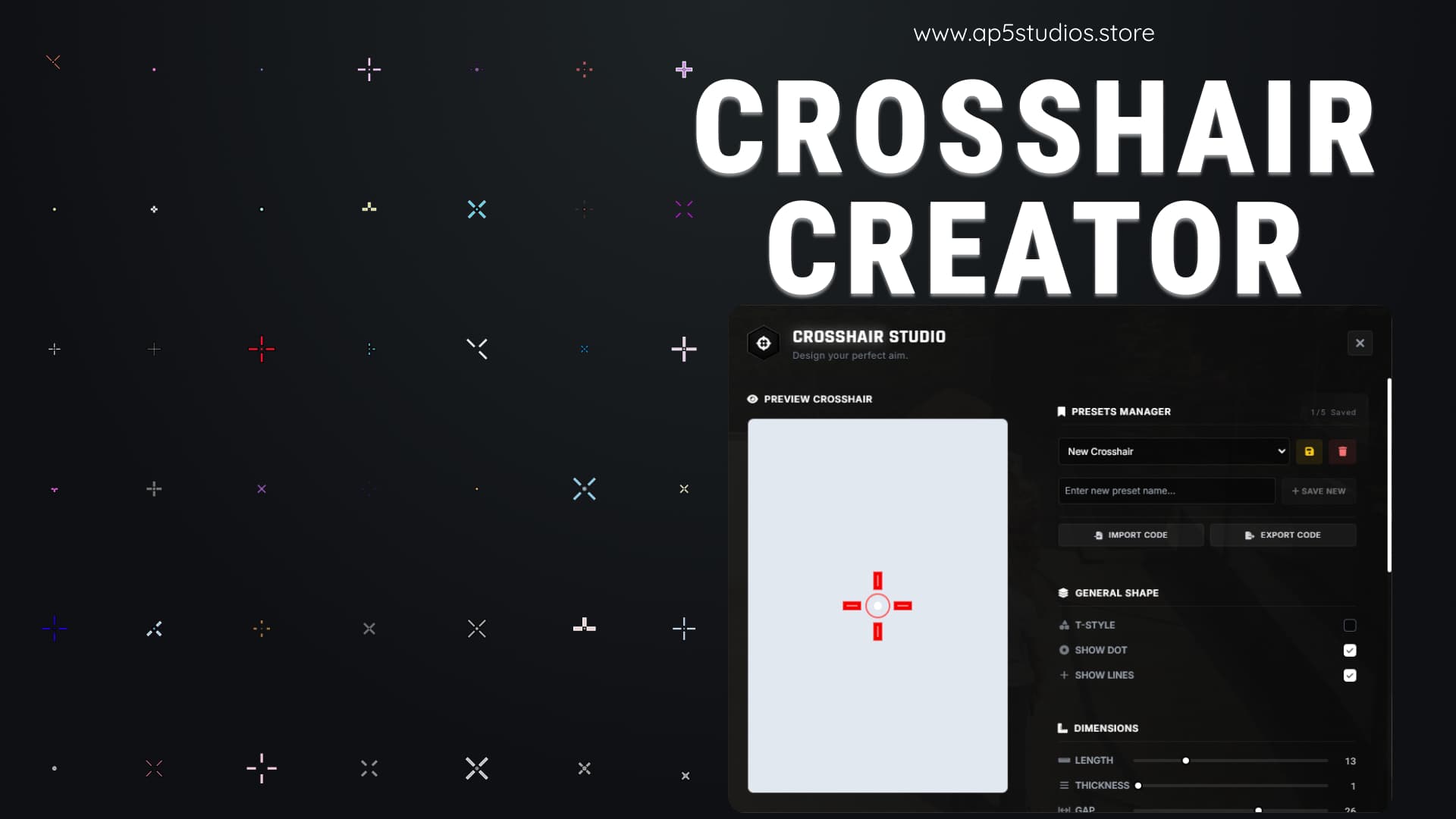
 In Game Photos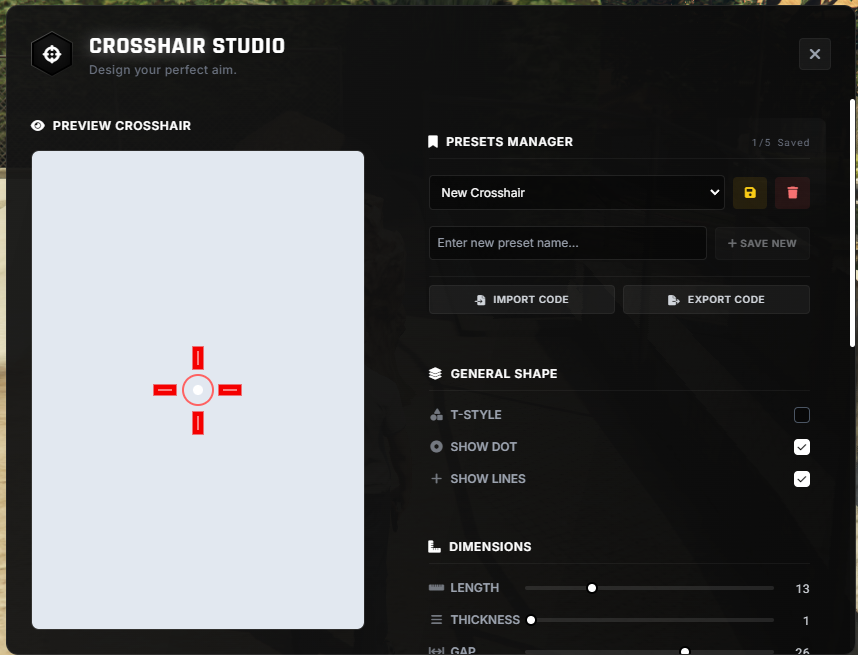

 Features:
 Limitless Visual Customization – Players can craft their perfect reticle using an intuitive slider-based system. Toggle T-style shapes, center dots, and dynamic lines. Fine-tune length, thickness, gap, rotation, and opacity. Add custom hex colors and independent stroke outlines for both lines and dots to guarantee maximum visibility against any environment.
 Cloud-Saved Preset Manager – Save multiple custom crosshair profiles directly to the server database. Includes configurable save limits, and allows quick swapping, overwriting, or deleting of presets. Active crosshair and visibility settings persist across restarts and reconnections.
 Code Import & Export System – Instantly generate shareable JSON codes for crosshair configurations. Players can share designs with others or import popular competitive presets with ease.
 Beautiful Modern Interface – A sleek, responsive UI featuring a dark-glass aesthetic, smooth animations, interactive toggles, custom notification modals, and a live preview canvas for real-time adjustments.
 Ultra-Lightweight & Standalone – Optimized for performance with 0.00ms CPU usage while closed. Fully standalone and framework-independent, working seamlessly with QBCore, ESX, Qbox, or custom servers.
 Integrated Commands & Config Options – Includes built-in chat commands like /crosshair and /hidecrosshair, plus server-side configuration to control default visibility for new players.
Elevate your server’s gunplay with the most advanced, fully customizable Crosshair Creator on the market!
Preview
 Purchase Links
Escrowed
• Database: oxmysql
InstallationConfig = {}
-- [[ Command Settings ]] --
Config.OpenCommand = 'crosshair' -- Command to open the menu
Config.HideCommand = 'hidecrosshair' -- Command to hide/show the crosshair
-- The maximum number of custom crosshair profiles a player can save
Config.MaxSavedCrosshairs = 5
-- If true, the crosshair will be hidden when a player first joins until they type the hide command
Config.HideCrosshairByDefault = true
-- These are the default values applied to new players who have not customized their crosshair yet.
Config.DefaultCrosshair = {
tStyle = false,
dot = true,
lines = true,
length = 10,
thickness = 2,
gap = 4,
dotSize = 3,
rotation = 0,
color = '#ffffff',
opacity = 100,
outline = true,
dotOutline = true,
outColor = '#000000',
outThick = 1,
outOpac = 100,
dotOutColor = '#000000',
dotOutThick = 1,
dotOutOpac = 100,
dotOutGap = 0
}
 Support & Community
Need help, updates, or want to suggest features?
Join the AP5 Studios Community on Discord
 Click here to join: AP5 Studios
| Code Access | No |
| Subscription-based | No |
| Lines of Code | ~1500 |
| Requirements | None |
| Support | Yes |
See what others are saying about this script.
Share your experience and help others.
