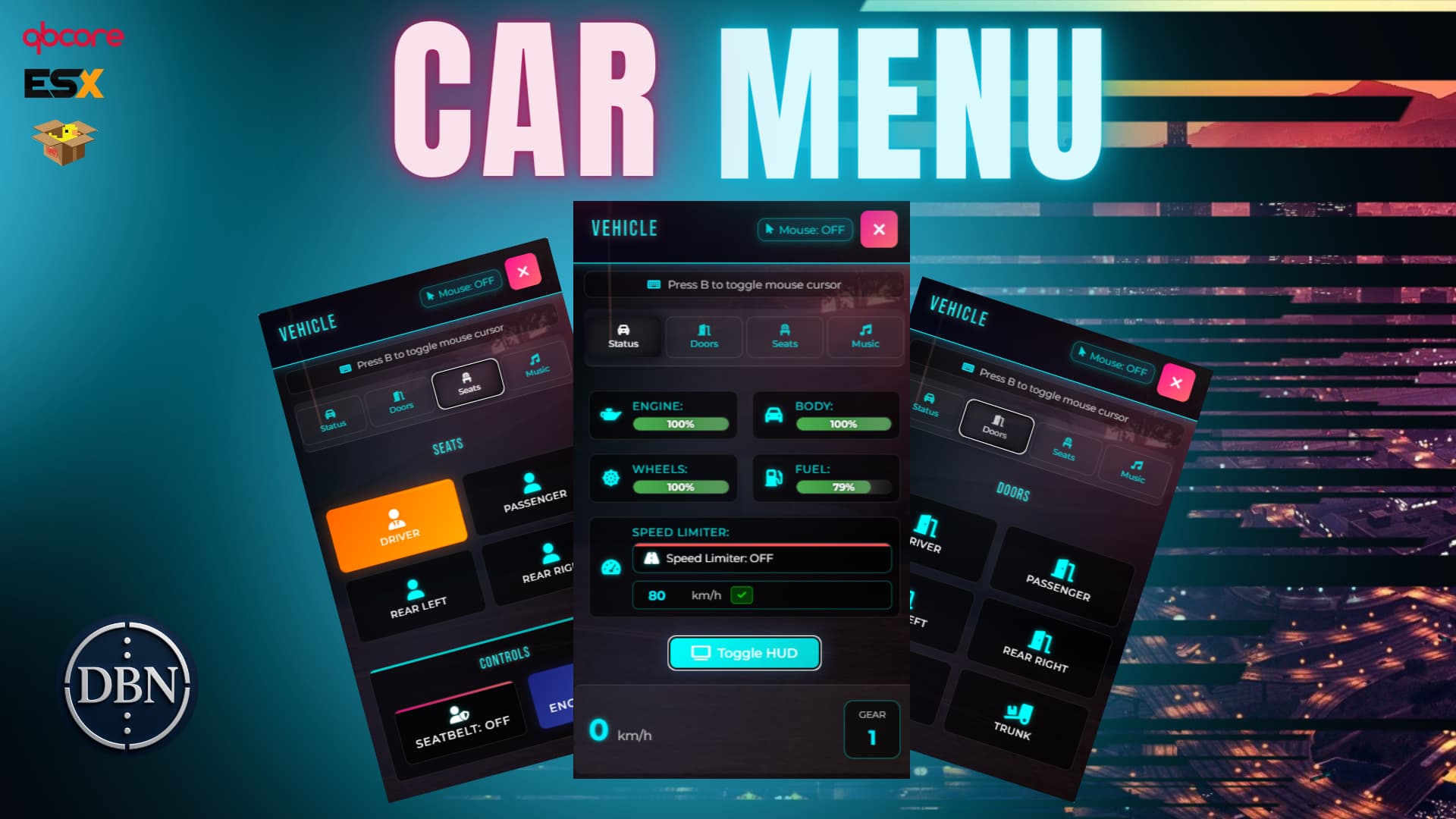
CAR MENU - ADVANCED VEHICLE CONTROL SYSTEM v2.0
  COMPLETELY REVAMPED - DRAGGABLE UI - QBOX COMPATIBLE - ULTRA OPTIMIZED
CAR MENU v2.0 – Advanced Vehicle Control System for FiveM
CAR MENU v2.0 is a modern, all-in-one vehicle control system designed for FiveM servers, giving players full control over their vehicles with an intuitive and feature-packed interface. Elevate your driving experience with precise controls, built-in entertainment, and advanced safety features! NEW v2.0: Now with draggable interface, QBox support, and ultra-optimized performance!
Preview Video: Watch on YouTube
Buy Here: Tebex Store
Discord: Join Our Community
🎯 NEW MAJOR FEATURES v2.0
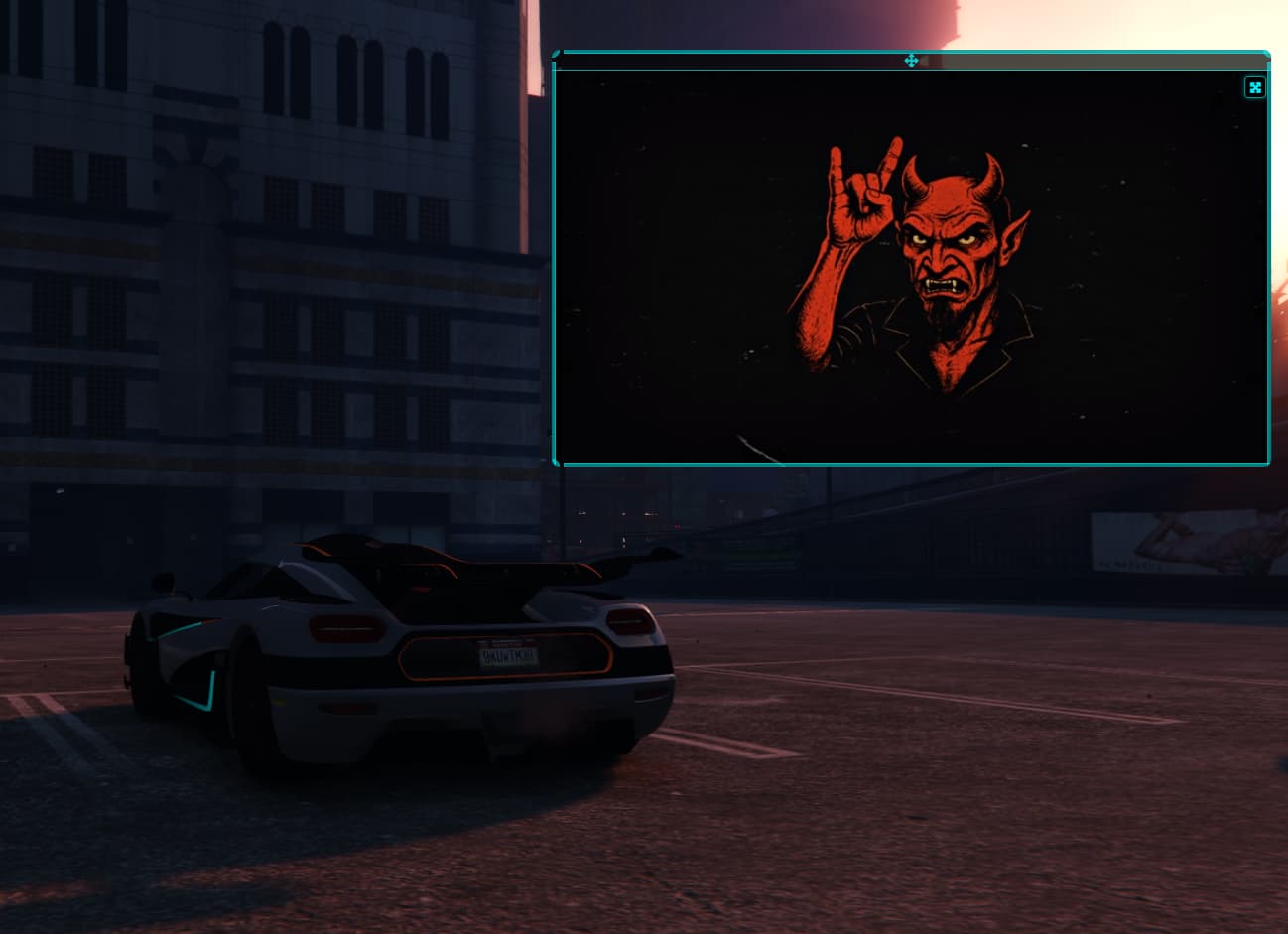
 DRAGGABLE INTERFACE
- Move the menu anywhere on screen - Drag and drop functionality
- Custom positioning - Set your preferred location
- Persistent positioning - Remembers your settings
- Smooth animations - Fluid drag experience
 QBOX FRAMEWORK SUPPORT
- Full QBox compatibility - Native QBox integration
- Auto-detection system - Automatically detects your framework
- Seamless switching - Easy framework migration
- Enhanced performance - Optimized for QBox architecture
 ULTRA PERFORMANCE OPTIMIZATION
- 60% faster loading - Optimized resource consumption
- Smart update intervals - Reduced server load
- Memory optimization - Lower RAM usage
- Efficient sync system - Minimal network traffic
Key Features
Intuitive Vehicle Interface
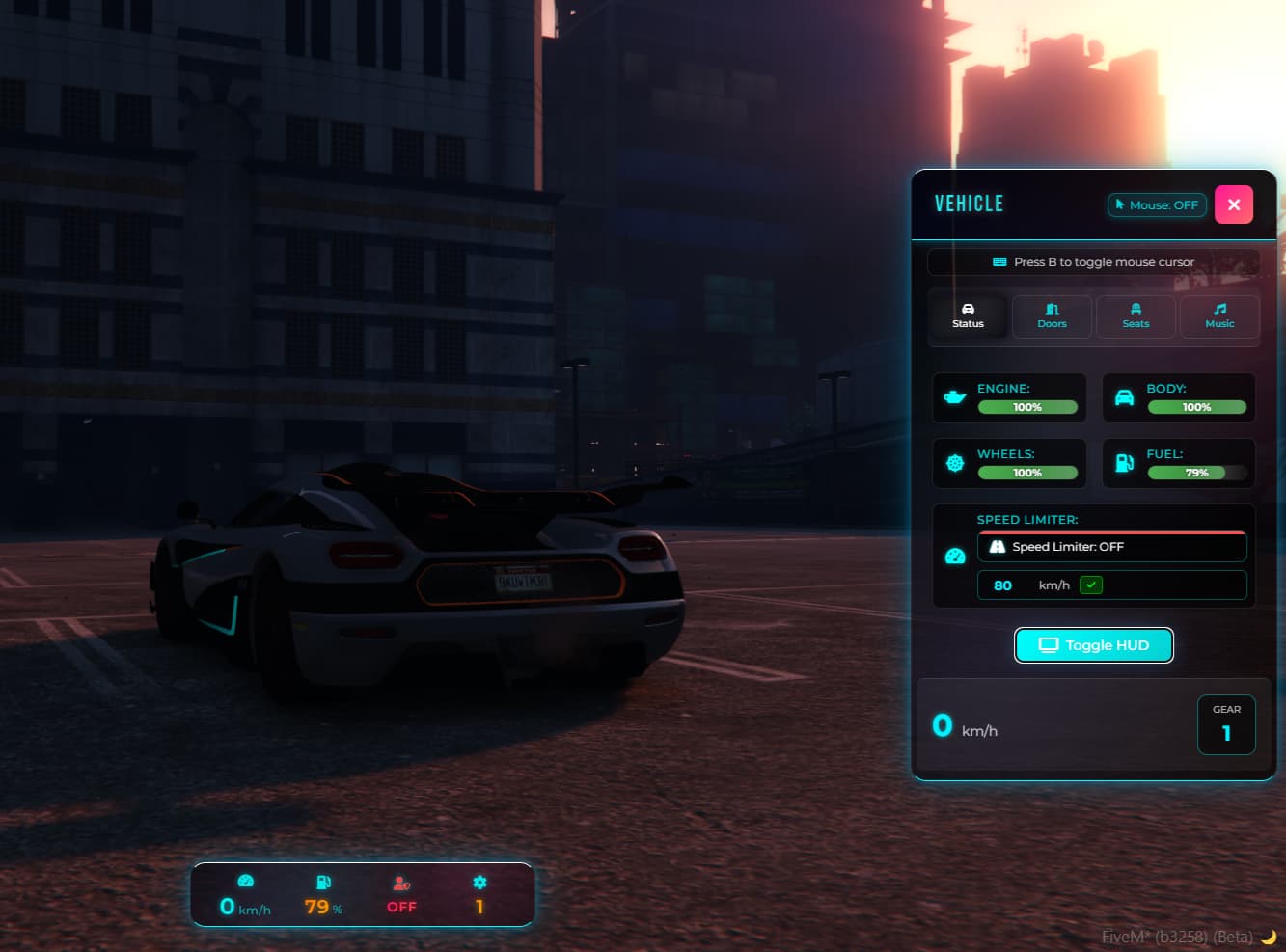
- Sleek, modern UI with real-time vehicle status updates
- Easy access via command or keybind (default F7)
- Smart cursor toggle system for seamless interaction
- NEW: Draggable positioning - Move menu anywhere on screen
Advanced Vehicle Controls
- Real-time monitoring: engine health, body damage, wheel condition
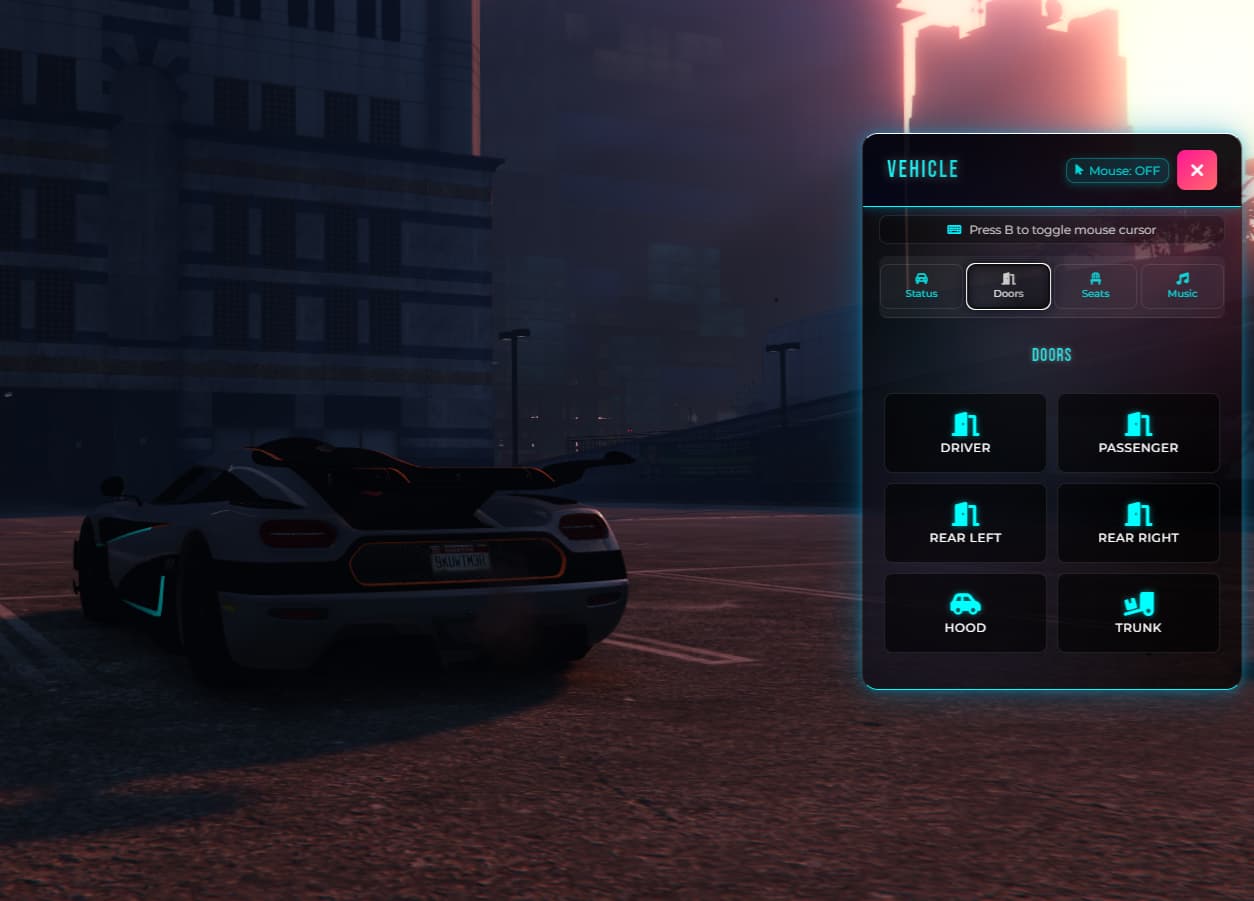
- Door management: individually control driver, passenger, rear doors, hood, and trunk
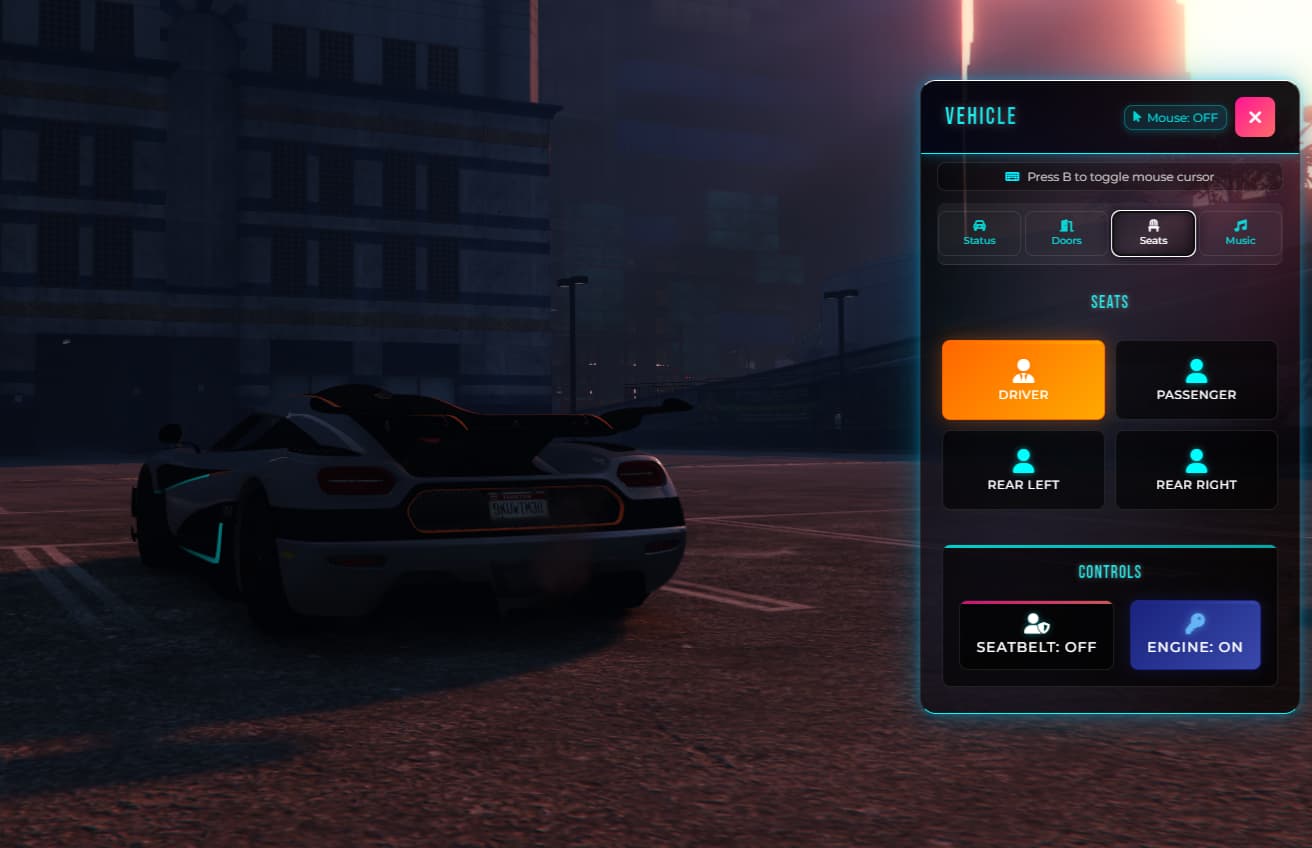
- Quick seat switching inside the vehicle
- Engine start/stop functionality
- Customizable speed limiter with adjustable ranges (10-200 km/h)
Integrated Music System
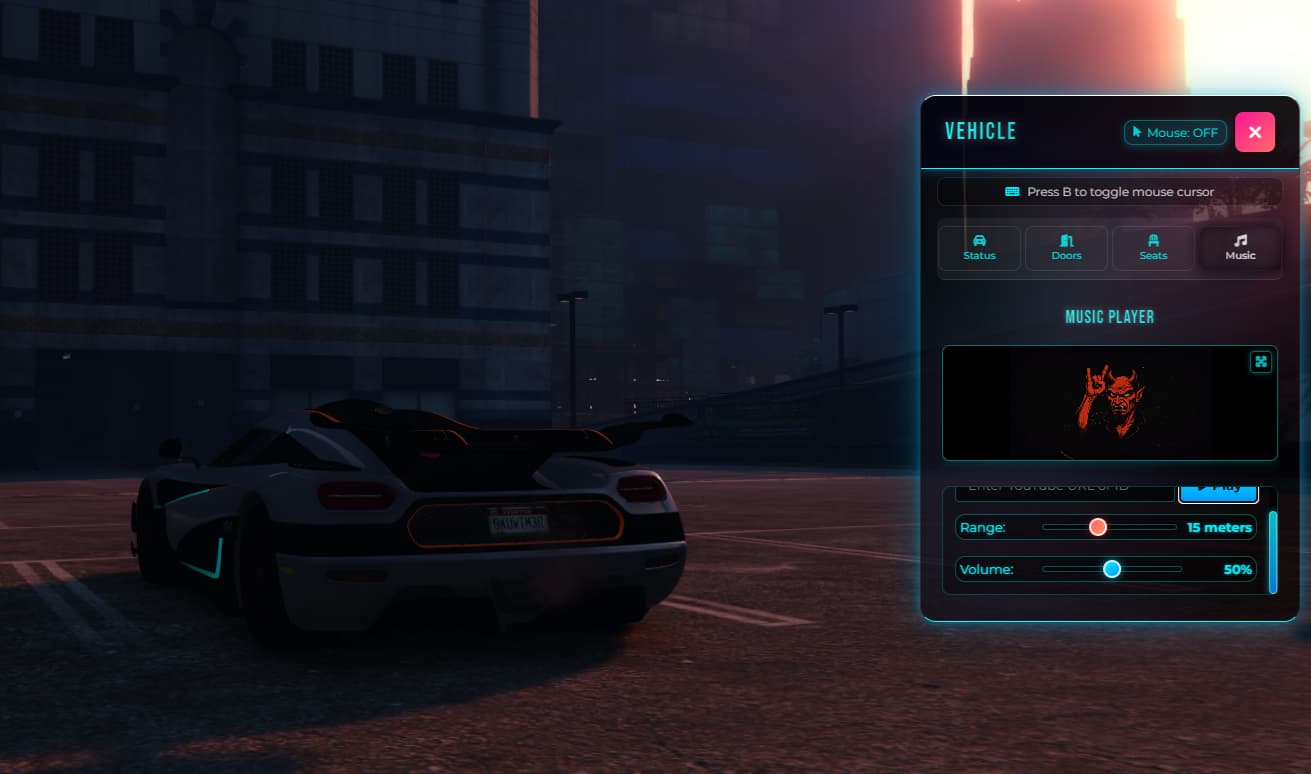
- YouTube integration: play music directly from YouTube URLs or video IDs
- Proximity audio: music audible to nearby players within configurable range (5-30m)
- Individual volume controls (0-100%)
- Real-time music synchronization for all passengers
- Adjustable music broadcast range with smart optimization
Safety Features
- Enhanced seatbelt system with visual indicators per seat
- Multi-framework compatibility with popular seatbelt scripts (esx_seatbelt, qb-seatbelt)
- Critical damage warnings for engine, body, and wheels
- Configurable speed limiter for enhanced safety
- NEW: Individual seatbelt states for each passenger seat
- Smart ejection system with realistic physics
Framework Support
- Fully compatible with ESX Legacy
- Complete integration with QBCore
- NEW: Full QBox framework support
- Auto-detection system - Automatically detects your framework
- Easy framework switching via config
Multi-Language Support
Includes built-in localization for:
English | Spanish | Portuguese | German | Italian
Technical Excellence
- Optimized Lua 5.4 code for peak performance
- Responsive HTML, CSS, and JavaScript interface
- Escrow-protected secure codebase
- Built-in debug tools for admins
- Smooth, lag-free animations and UI updates
- NEW: Draggable interface with persistent positioning
- Smart resource management with minimal consumption
Technical Specifications
- NEW: Draggable UI System - Move menu anywhere on screen
- NEW: QBox Framework Integration - Native QBox support
- NEW: Ultra Performance Mode - 60% faster than previous versions
- Efficient resource management with smart update intervals
- Modern architecture: HTML5/CSS3/JavaScript frontend
- Professionally secured codebase
- Cross-framework compatibility
- Highly customizable settings
- NEW: Smart update intervals - Reduced server load by 40%
- NEW: Memory optimization - 30% less RAM usage
Use Cases
- Enhanced roleplay: realistic vehicle interaction for immersive gameplay
- In-vehicle entertainment: music and media for social experiences
- Safety enforcement: speed and damage monitoring aligned with server rules
- Event coordination: music features for car meets and races
- Server customization: tailored vehicle control for unique server themes
- NEW: Flexible positioning - Customizable menu placement for different setups
Requirements
- ESX, QBCORE, QBOX (Framework)
- FiveM server
- NEW: Modern browser support for optimal UI experience
Installation
- Extract the script into your
resources folder
- Configure your framework settings in
config.lua
- Select your language and customize features
- Add
ensure car_menu to your server.cfg
- Restart your server and enjoy the new experience!
Configuration Options
- NEW: Draggable positioning - Customize menu location
- NEW: Framework auto-detection - Automatic framework selection
- Custom commands to activate the menu
- Customizable hotkeys
- Switch between KM/H and MPH speed units
- Music settings: volume, range, and sync intervals
- Safety options: damage thresholds and speed limits
- Language selection
- NEW: Performance settings for optimal server load
🆕 What's New in v2.0
DRAGGABLE INTERFACE
- Move the menu anywhere on your screen
- Persistent positioning that remembers your settings
- Smooth drag animations and visual feedback
QBOX FRAMEWORK SUPPORT
- Full native QBox integration
- Auto-detection system for seamless setup
- Optimized performance for QBox architecture
PERFORMANCE OPTIMIZATIONS
- 60% faster loading times
- 40% reduced server load
- 30% less memory usage
- Smart update intervals for minimal consumption
 ENHANCED USER EXPERIENCE
- Improved UI responsiveness
- Better error handling
- Enhanced music synchronization
- Advanced seatbelt system per seat
Support & Updates
- Regular updates with new features and improvements
- Comprehensive documentation included
- Professional support available
- Community-driven enhancements
- NEW: Framework migration assistance
 Why Choose CAR MENU v2.0?
Whether you’re improving roleplay immersion, creating a realistic driving experience, or adding fun entertainment features, CAR MENU v2.0 delivers everything you need in a single, professional package. Enjoy a powerful vehicle control system that blends functionality, safety, and entertainment with a beautiful, draggable, user-friendly interface.
Transform your FiveM server’s vehicle experience with CAR MENU v2.0 — where advanced technology meets intuitive design and maximum flexibility.
 NEW v2.0 HIGHLIGHTS:
- Draggable Interface - Position menu anywhere
- QBox Support - Full framework compatibility
- Ultra Performance - 60% faster, 40% less server load
- Enhanced UX - Smoother, more responsive experience
|
|
| Code is accessible |
No |
| Subscription-based |
No |
| Lines (approximately) |
More than 15,000 |
| Requirements |
Written above |
| Support |
Yes |
| Framework Support |
ESX, QBCore, QBox |
| Draggable UI |
Yes |
| Performance Optimized |
Yes |
![Car Menu v2.0 [ESX/QB/QBOX] ADVANCED VEHICLE CONTROL SYSTEM main image](https://forum-cfx-re.akamaized.net/optimized/5X/c/7/3/5/c7351d6014e0e6e40fd1810662a7fd416af3ef1e_2_690x388.jpeg)
![Car Menu v2.0 [ESX/QB/QBOX] ADVANCED VEHICLE CONTROL SYSTEM thumbnail 2](https://forum-cfx-re.akamaized.net/optimized/5X/f/4/a/6/f4a66f33206de375c57b611c5eeb76b509fede08_2_690x495.jpeg)
![Car Menu v2.0 [ESX/QB/QBOX] ADVANCED VEHICLE CONTROL SYSTEM thumbnail 3](https://forum-cfx-re.akamaized.net/optimized/5X/7/e/c/b/7ecb231f16440a8133e8e7b87b9e8041a1eb538e_2_690x445.jpeg)
![Car Menu v2.0 [ESX/QB/QBOX] ADVANCED VEHICLE CONTROL SYSTEM thumbnail 4](https://forum-cfx-re.akamaized.net/optimized/5X/d/b/2/9/db29071808811f6e03948075a5b59e012092f2a0_2_690x407.jpeg)
![Car Menu v2.0 [ESX/QB/QBOX] ADVANCED VEHICLE CONTROL SYSTEM thumbnail 5](https://forum-cfx-re.akamaized.net/optimized/5X/3/2/f/3/32f370429cf37886f59b5612e9308d4297ec6248_2_689x499.jpeg)
![Car Menu v2.0 [ESX/QB/QBOX] ADVANCED VEHICLE CONTROL SYSTEM thumbnail 6](https://forum-cfx-re.akamaized.net/optimized/5X/5/a/b/7/5ab7250f9eb27a10c50dbabb2415fcee602a82b3_2_675x500.jpeg)