
Price
Unknown
A script by ricepunk
Price
Unknown
Elevate your FiveM server management to the next level with xdiscord, the all-in-one Discord bot designed for unparalleled control and seamless integration.
Whether you’re running a massive community or a private server, xdiscord provides the powerful tools you need to manage your server, players, and resources directly from the comfort of your Discord server. Built for performance and compatibility, it offers out-of-the-box support for QBCore and QBOX frameworks.
 Key Features
 Total Server Control: Manage resources, monitor performance, and control the in-game world.
 Advanced Player Administration: Kick, ban, screenshot, teleport, and manage players with precision.
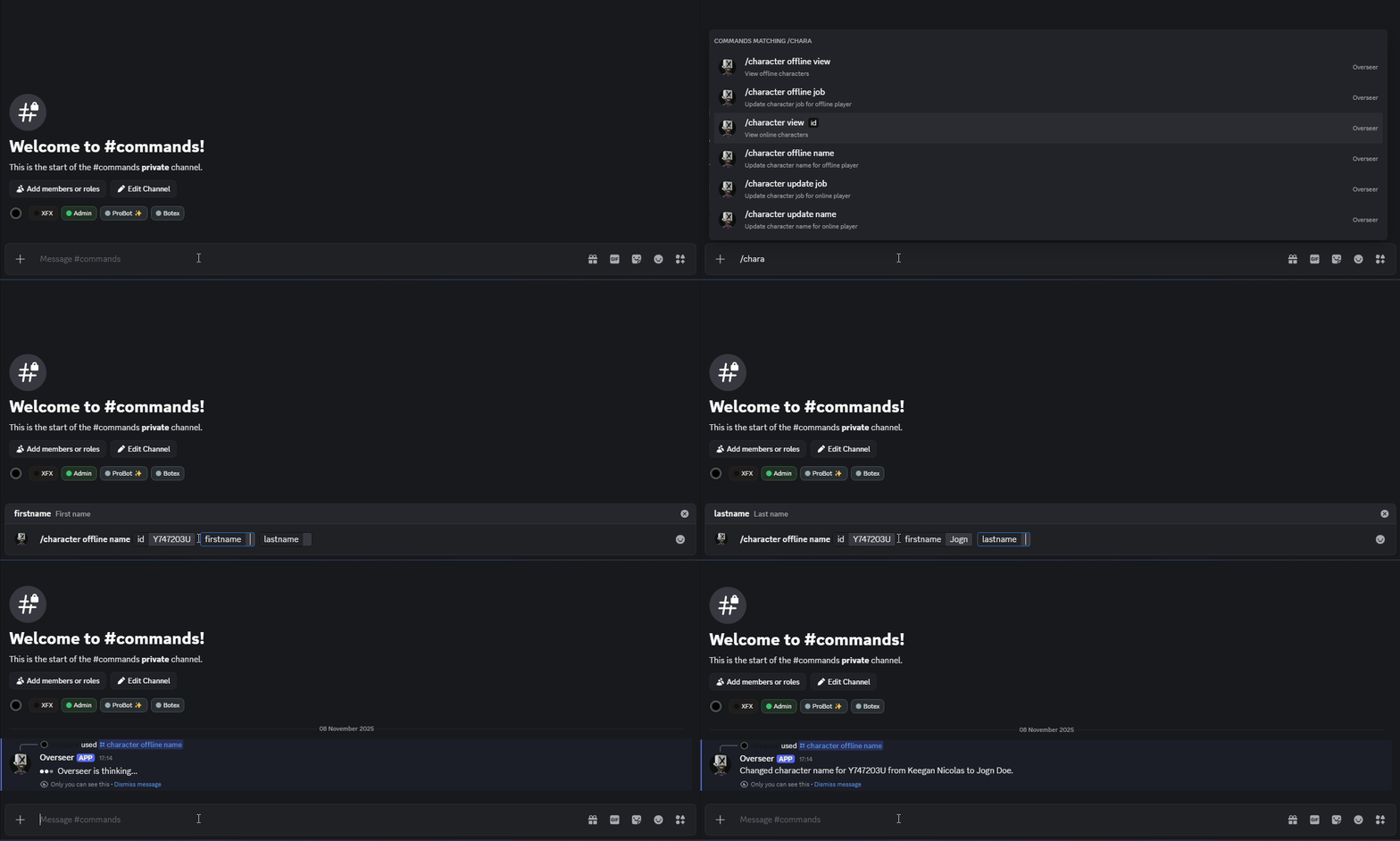
 Deep Character & Inventory Insight: View and manage character data (including jobs) and inventories for online and offline players.
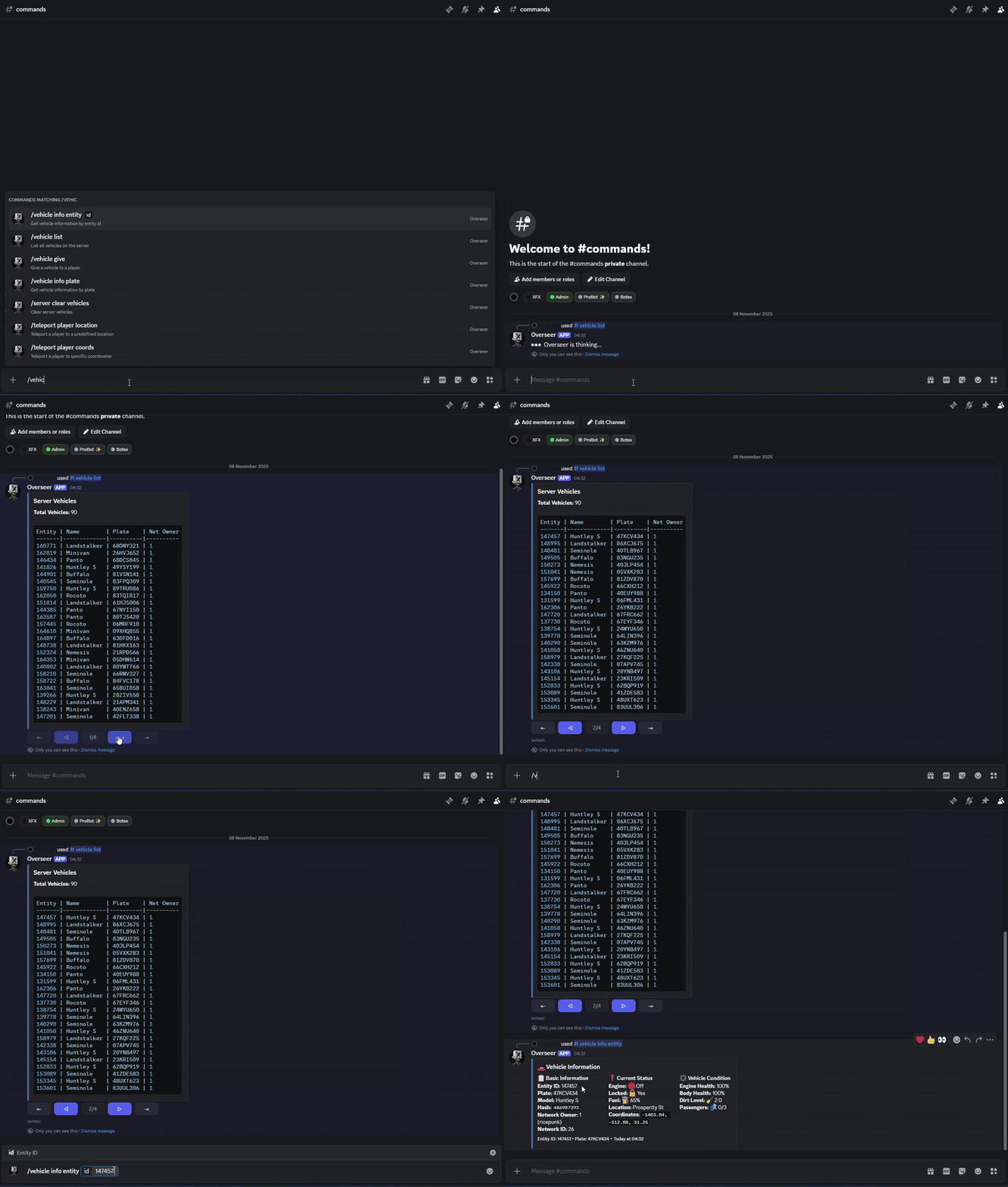
 Complete Vehicle Management: Spawn, list, and inspect any vehicle on your server in real-time.
 Role-Based Permissions: Secure, configurable access control for all commands.
 Context Menu Integration: Right-click a user to check if they’re online in the server.
 Smart Autocompletion: Intuitive command suggestions for players, resources, items, and vehicle models.
 Latest Discord.js: Built with the most recent version of Discord.js for cutting-edge features and stability.
 Framework Ready: Works seamlessly with QBCore and QBOX.
 Technical Details
Language: Developed with TypeScript for type safety and improved developer experience.
Full Source Code: You receive the complete, unminified source code, allowing for full transparency and customization.
Development & Building: Comprehensive documentation is available in docs/development.md detailing how to set up your development environment, modify the source code, and build the resource.
Frameworks: Natively supports QBCore and QBOX. Can be adapted to other frameworks.
Performance: Optimized for low resource usage.
Dependencies: Standalone, with clear setup instructions.
Database: Requires MySQL >= 5.7 or MariaDB >= 10.2.
xdiscord exposes a powerful API for other FiveM resources to interact with Discord. The identifier parameter in these functions accepts either a FiveM player source ID or a Discord user ID.
getDiscordId: Retrieve a player’s Discord ID.
getName: Get a Discord member’s display name.
getRoles: Fetch a Discord member’s roles.
hasRole: Check if a Discord member has specific roles (accepts a single role string or an array of role strings).
isInGuild: Verify if a Discord member is in the server’s Discord guild.
createLog: Send an embed to a configured webhook.
xdiscord is more than just a bot; it’s your server’s new command center. Streamline your administrative tasks, empower your staff, and spend more time creating amazing experiences for your players!
 Commands
A comprehensive list of all available commands.
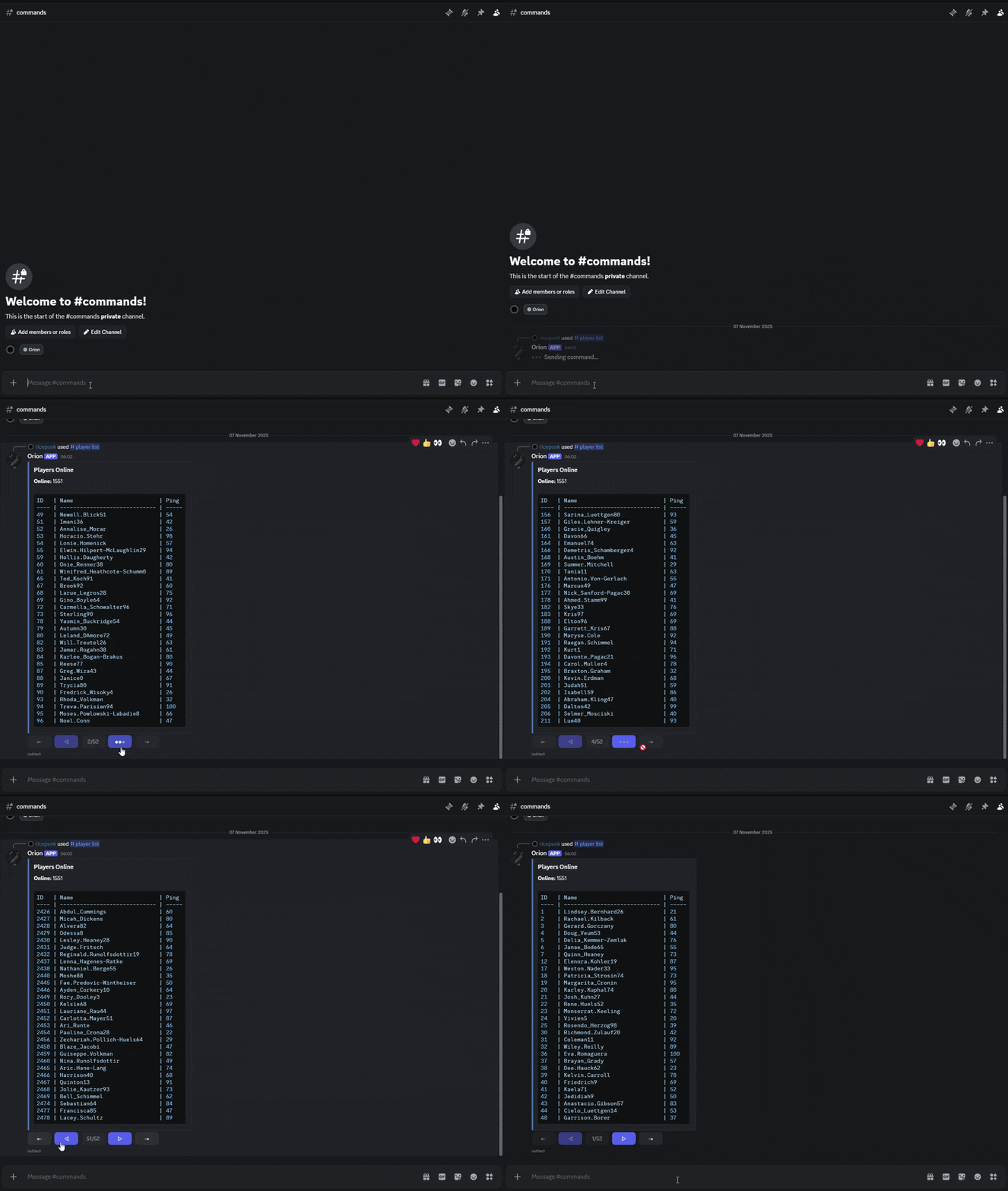
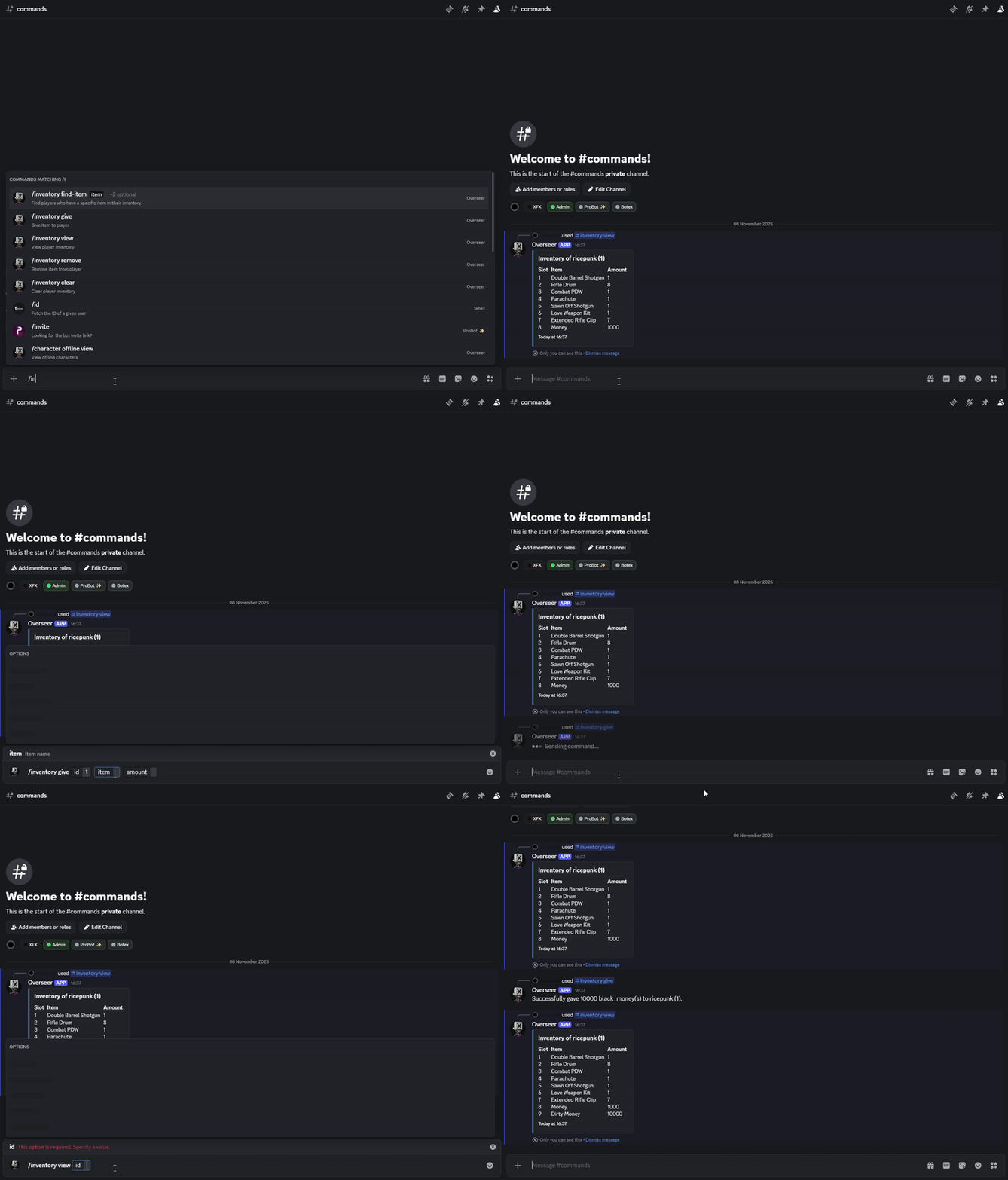
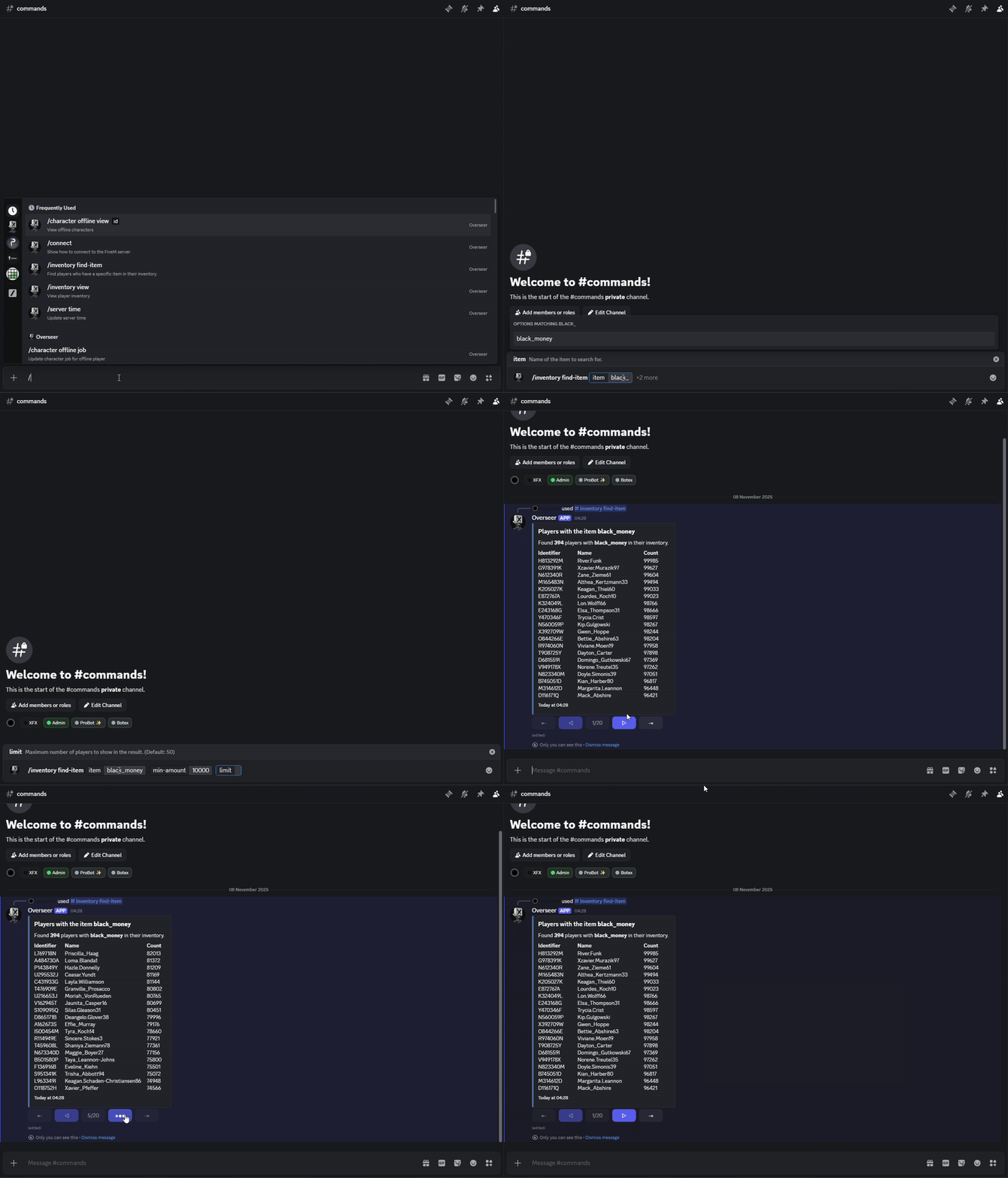
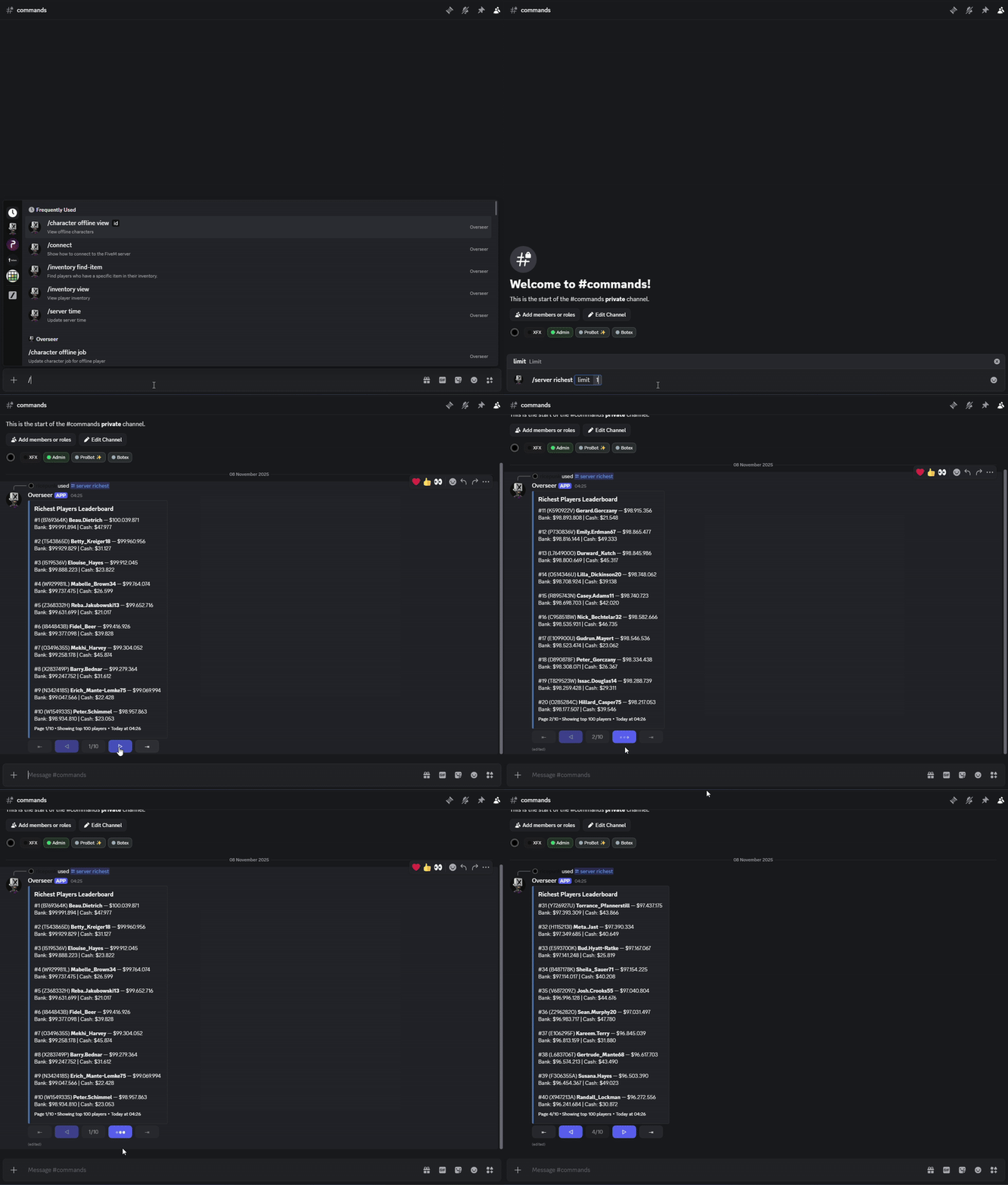
<id> — View online character data.<id> <firstname> <lastname> — Update an online character’s name.<id> <job> <grade> — Update an online character’s job.<id> — View offline character data.<id> <firstname> <lastname> — Update an offline character’s name.<id> <job> <grade> — Update an offline character’s job.<id> — View a player’s inventory.<id> <item> <amount> — Give an item to a player.<id> <item> <amount> — Remove an item from a player.<id> — Clear a player’s inventory.<item> [min-amount] [limit] — Find players with a specific item.<id> — Get information about a player.<id> <message> — Send a direct message to a player in-game.<id> — Take a screenshot of a player’s screen.<id> — Kill a player.<id> — Revive a player.<id> [reason] — Kick a player from the server.<id> [reason] — Ban a player from the server.<name> — Get information about a resource.<name> — Start a resource.<name> — Stop a resource.<name> — Restart a resource.<message> — Send a global announcement to the server.<hour> [minute] — Set the in-game time.<type> — Set the in-game weather.<state> — Enable or disable server-wide blackout.<state> — Freeze or unfreeze in-game time.[limit] — Show the richest players.[owned] — Clean up all vehicles.<id> <location> [vehicle] — Teleport a player to a location.<id> <coords> [vehicle] — Teleport a player to coordinates.<location> — Teleport all players to a location.<coords> — Teleport all players to coordinates.<id> <vehicle> [plate] — Give a vehicle to a player.<id> — Get vehicle info by its server entity ID.<plate> — Get vehicle info by its license plate.<channel> <content> [cooldown] — Add a sticky message to a channel.<channel> — Remove a sticky message from a channel. Command Preview
 Note: The preview was tested with 20,000 player rows in the database — the command handled it smoothly with no performance issues.
Support & CustomizationNeed help, have an idea for a new feature, or want a custom command created?
 Purchase
| Code is accessible | Yes |
| Subscription-based | No |
| Lines (approximately) | 4000+ |
| Requirements | MySQL >= 5.7 or MariaDB >= 10.2 |
| Support | Yes |
See what others are saying about this script.
Share your experience and help others.
